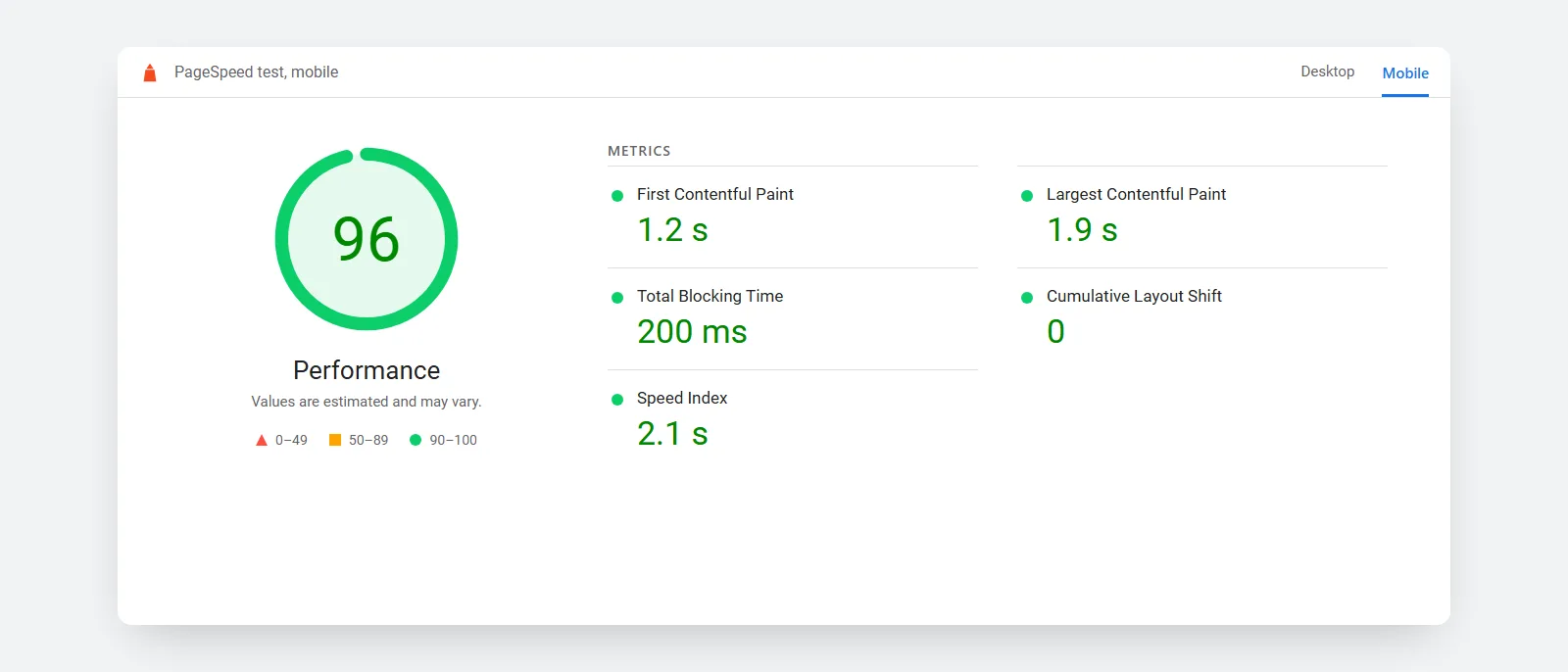
I ran a website speed test on 50 Australian small business websites in October 2026. On mobile, only 4 scored in Google's "good" range, and the typical site took 6.9 seconds to show its main content. Cleaners did best, landscapers and builders worst.
Most of the delay came from heavy pages and unused code. Every site was a real local business that ranks for its trade in its own city. No business is named here, because the point is the pattern.
How fast are Australian small business websites?
Most are slow on a phone. The median site scored 58.5 out of 100 on Google PageSpeed Insights, which Google counts as "needs improvement".
| Result (mobile) | Sites out of 50 |
|---|---|
| Good (90 to 100) | 4 |
| Needs improvement (50 to 89) | 30 |
| Poor (under 50) | 16 |
| Main content shown within 2.5 seconds | 3 |
| Main content took over 4 seconds | 34 |
Australian small business websites scored "good" on mobile in my October 2026 speed test.
Scores ranged from 26 to 100. The bands are Google's own, where 90 or above is good and under 50 is poor.
The main content timing is Largest Contentful Paint (LCP). Google's guidance calls 2.5 seconds or less good and anything over 4 seconds poor. By that measure, 34 of the 50 sites were poor.
How the website speed test was run
I searched Google for 10 trades in 5 cities, such as "plumber Sydney" and "roofer Gold Coast". For each search I took the first organic result that was a local business's own site, skipping directories, marketplaces, franchises and big national brands.
That gave 50 home pages across Sydney, Melbourne, Brisbane, Perth and the Gold Coast. Each one went through PageSpeed Insights on the mobile setting on 26 October 2026.
The mobile test simulates a mid-range phone on a mobile network. Visitors on fast phones and home wifi will often see quicker loads. Treat these results as a fair worst case, which is what a customer on a job site or in the car actually gets.
Which trades have the slowest websites?
Landscapers, builders and roofers had the lowest scores in this test. Cleaners, hairdressers and plumbers did best. With five sites per trade, read this as a pattern worth checking, not a ranking.
A good score doesn't always mean a quick page. Hairdressing sites scored 65, but all five took over 4 seconds to show their main content, mostly large photos.
| Trade | Median mobile score | Median time to main content |
|---|---|---|
| Cleaner | 68 | 3.5 s |
| Hairdresser | 65 | 9.3 s |
| Plumber | 63 | 5.9 s |
| Mechanic | 59 | 3.6 s |
| Painter | 55 | 11.4 s |
| Electrician | 54 | 9.5 s |
| Accountant | 52 | 4.1 s |
| Roofer | 49 | 7.2 s |
| Builder | 44 | 7.8 s |
| Landscaper | 41 | 5.0 s |
Does the city or the platform make a difference?
The city does not change the test, because PageSpeed Insights runs from Google's servers. Perth sites had the best median score (68.5) and Melbourne the lowest (54.5), which reflects the sites themselves.
I also checked each home page's code for the platform it was built on.
| Platform | Sites | Median mobile score | Main content over 4 seconds |
|---|---|---|---|
| Hosted builders (Wix, Squarespace, Duda, Shopify, Webflow) | 10 | 63 | 8 of 10 |
| WordPress | 33 | 58 | 21 of 33 |
| Custom-built or other | 7 | 54 | 5 of 7 |
The hosted builders had the best median score but the slowest main content, 9.6 seconds. WordPress ran two thirds of the sites, so it decides what most Australian customers see. No platform came out clearly fast. How the site is built mattered more than what it is built on.
Why is my website slow? What the test found
The same few problems came up again and again. The biggest was code the page loads but never uses, flagged on 28 of the 50 sites.
- Unused JavaScript (28 sites). Page builders, chat widgets, sliders and tracking scripts load on every page, whether the page needs them or not.
- Heavy pages. The median home page weighed 2.5 MB. Eight were over 5 MB, and the heaviest was 36.2 MB, mostly photos and video.
- Unused CSS (17 sites). Theme styles for features the site never shows.
- Content that jumps while loading (11 sites). Images and banners without set sizes push the text around.
The basics of search were mostly fine. The median SEO score was 92, so titles and descriptions were in place. Speed was the gap.
Is it the amount of content or the code?
Both. Page weight showed up clearly in this sample: the 20 sites under 2 MB had a median score of 65.5, and the 15 sites over 4 MB had a median of 47. None of the heavy sites scored well.
The typical site loaded 79 separate files and kept the phone busy for about a third of a second running JavaScript. Page builders, sliders, chat bubbles, review widgets and tracking tags all add to that. A site can carry plenty of photos and still be fast, as long as it holds back what the visitor cannot see yet.
How fast should a website load?
Aim to show your main content within 2.5 seconds on a phone, which is Google's "good" line for LCP. On PageSpeed Insights, 90 or above is good.
Speed helps, but it will not carry a weak page. Google says it "always seeks to show the most relevant content, even if the page experience is sub-par." A fast page wins when several pages answer the question equally well.
For comparison, the Obie Digital home page scored 98 on the same mobile test, with main content in 1.7 seconds and a page weight of 83 KB. It is a small, new site with no page builder, so it has less to carry than a site with years of add-ons. That lean approach is how I build custom websites for Gold Coast small businesses.
How to run a page speed test on your own site
It takes two minutes and costs nothing.
- Open PageSpeed Insights and paste in your home page address.
- Check the Mobile tab first. It is the harder test, and the one customers on the road see.
- Note the Performance score and the Largest Contentful Paint time.
- Look at the top box. If it shows real-user data, that is how actual visitors experience your site. Only 11 of the 50 sites here had enough visitors for Google to show it.
- Run it twice. Scores move a few points between runs.
If your score is under 50, fix things in this order. Resize and compress the photos on your home page, remove plugins and widgets you do not use, then look at hosting. Google's LCP guide goes deeper on each step.
If the page needs a rebuild, what a website costs in Australia sets out the price ranges. A faster site also makes your SEO work and other marketing for tradies pay off sooner.
Want to know where your site sits? Send me your website address and I will run the same test and tell you the first thing to fix.

I run Obie Digital on my own, building websites and running SEO and Google Ads for small businesses in Australia and New Zealand. I grew up in Invercargill, studied Marketing Management at the University of Otago and have 9+ years in digital marketing.
More about how I work

